
Saving & Sharing
How Feelpath Handles Transcripts
If you save your transcript, Feelpath can help you build emotion skills over time, like noticing what you feel and finding better words for it. This page explains what saving and sharing mean before you join.
A quick overview of this page
Before each session, you may be asked to choose how your transcript is handled. These choices apply only to that specific session and to the words spoken during that session.
You can decide:
- Whether your transcript is saved in Feelpath to generate Insights for after-session reflection (Saving)
- Whether your therapist can access your transcript within the platform (Sharing)
These settings only affect how information is stored and shared inside Feelpath. They do not change your therapy relationship or your therapist's standard documentation practices outside the platform. Additional privacy or consent requirements may apply depending on your care setting or local laws.
Saving & Sharing
If the transcript is saved, Feelpath can create Insights to help you reflect after session.
Sharing allows the therapist to view the client's words later. See more below.
What does saving mean, and what are Insights?
If you choose to save the transcript, Feelpath can create Insights from it. Insights are simple tools that can help you revisit what mattered, notice patterns in what you feel, expand your emotion vocabulary, and find better words for your inner experience over time.
Insights like our Smart Emotion Wheel can help you see which feeling words were already present in the session and where there may be room to grow.
- Some emotion areas are filled in based on the words you used in session.
- Other areas can give you new feeling words to reflect on and grow into.
- Over time, it can help you build a richer, more specific emotional vocabulary.
Core Emotions
What does sharing mean?
The sharing checkbox changes whether your therapist can view the transcript after the session. If you choose to share it, your therapist will be able to review the transcript later, on their own time. If you uncheck this checkbox, your therapist will not be able to review what you said and will have to rely on their own memory of the conversation.
Therapists share transcripts with their clients by default so no checkbox is shown on the therapist's side.
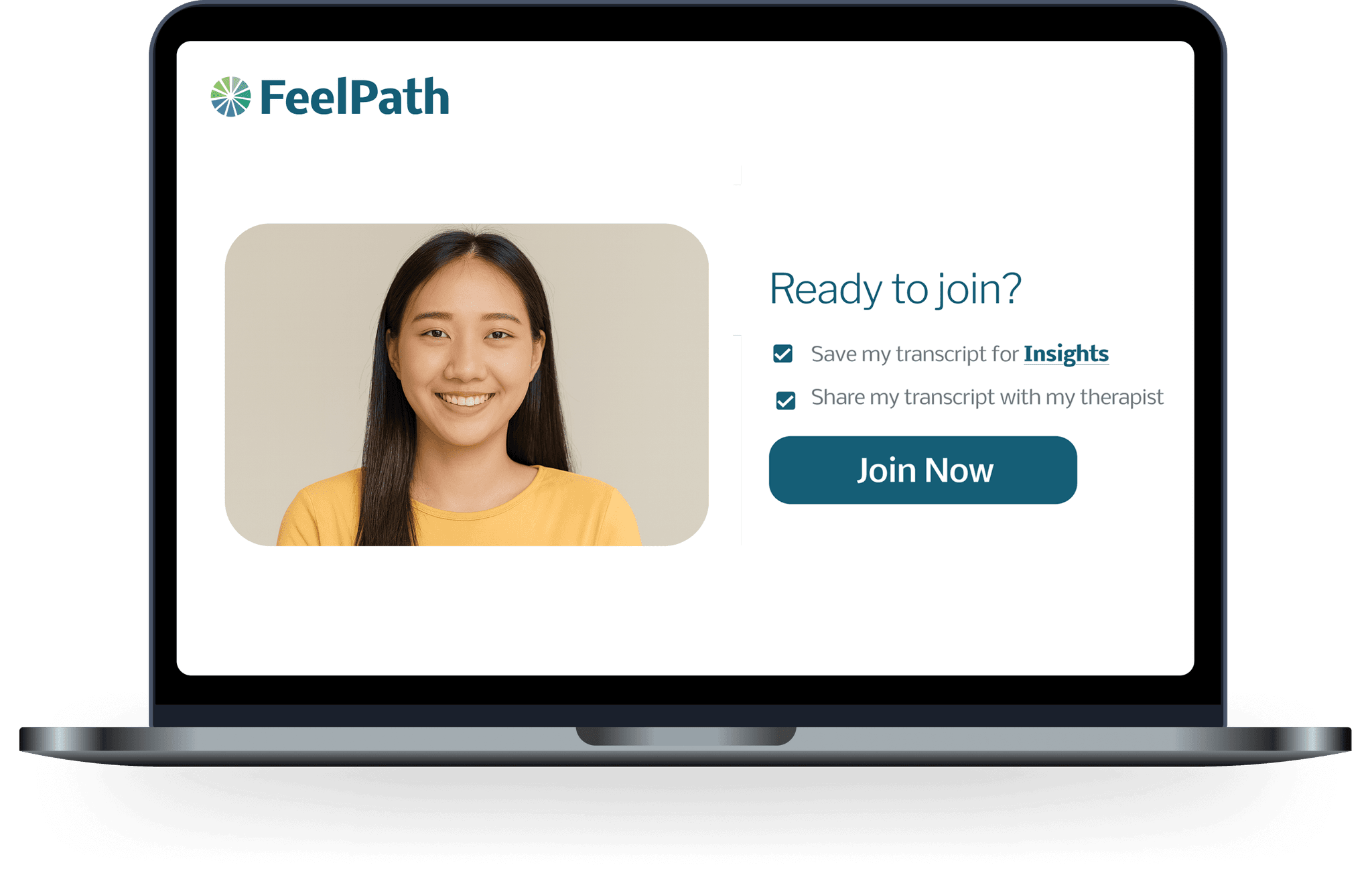
Client View

Therapist View
Can I change my answers later?
Yes, sharing and saving can be reviewed and updated later. If you change your mind, you can always update your choices in the transcript sharing controls, as well as manage other transcript options, like downloading and redacting. These choices are designed to stay in your hands and can be updated as needed.
Redaction
Redact a line to remove it from your transcript.
Deletion
When you delete your transcript, the Insights are also removed.
Transcript tools
Permanently remove selected text; shows "[redacted]" everywhere.
Change wording; exports and analysis use edited text.
Download a .txt copy to view offline.
Review who can see your words for this session.
Permanently remove your lines; insights are deleted.
A quick note about disclosures
In some care settings, these choices may be part of a Release of Information (ROI) process. Disclosures refer to situations where information may need to be disclosed outside the normal therapy workflow because the law requires it, for example a legally valid court order or other legally required request.
- Feelpath is designed to limit access to the people the participant authorizes.
- If Feelpath is legally required to disclose something, it will disclose only what is required by law, and notify the relevant account owner when permitted.
FAQ about saving and sharing
Insights are follow-up tools created from a saved transcript. In practical terms, they can help you revisit what mattered, notice patterns, and find clearer words for what you felt after session.
Saved transcripts stay in Feelpath until they are deleted. Your therapist or care setting may also have record-retention obligations outside Feelpath.
Yes. Transcript data is protected with encryption in transit and at rest. Feelpath stores data in its private cloud infrastructure in the U.S.
Not normally. Inside Feelpath, access is limited and controlled. Normally that means you and, if you choose to share it, your therapist. If you have separately signed up for a Feelpath research study or another special program, any additional approved access should be explained to you there.
Yes. You can review, edit, redact, download, or delete your own transcript using transcript tools.
Yes. The sharing choice on this screen controls access inside Feelpath only. It does not automatically share the transcript outside the platform. If transcript tools are available for your account, you can separately choose whether to download or share your own copy outside Feelpath.
Use the transcript sharing controls and transcript tools for that session. Sharing can be revisited later, and transcript tools let you review, redact, download, or delete your own words.
When you delete your transcript, the Insights are also removed.
Examples can include a valid court order, subpoena, or another legally binding request. If Feelpath is legally required to disclose something, we disclose only what the law requires.
No. Transcripts are not used for product improvements, AI training, or any form of research. Your transcript is only used, with your consent, to create Feelpath Insights and, if you choose, to make it available for your therapist to review. If you have separately and explicitly agreed to join one of Feelpath's research studies, then any additional use would be explained to you there.
Have more questions?
For a broader explanation of how Feelpath handles privacy and data, you can read our privacy overview. If you have questions about saving, sharing, or disclosures, you can also reach out to us directly.